
Speaker's lectern
What is a digital lectern?
A digital lectern is an electronic speaker's lectern that can house a screen, a computer and a microphone. It replaces the laptop placed next to a conventional lectern, the separate microphone stand and the cables running to it. The speaker controls the presentation from the screen in the lectern while the hall's projector or LED screen shows the same image. The name smart lectern is also used for the same product.
Built to orderKoz Teknoloji has its digital lecterns built for each project; dimensions and equipment are set per project.
Connected to the hallThe microphone connects to the hall's sound system, the image to the hall display.
Corporate identityFinish and logo are chosen to match the organisation's identity.
Where is it used?
Conference halls
Where speakers change often, every speaker presents from the same lectern and the same computer; there is no break to swap laptops.
University lecture theatres
The lecturer opens the lesson file from the lectern computer. With a document camera, a solution worked on paper is shown on the hall screen.
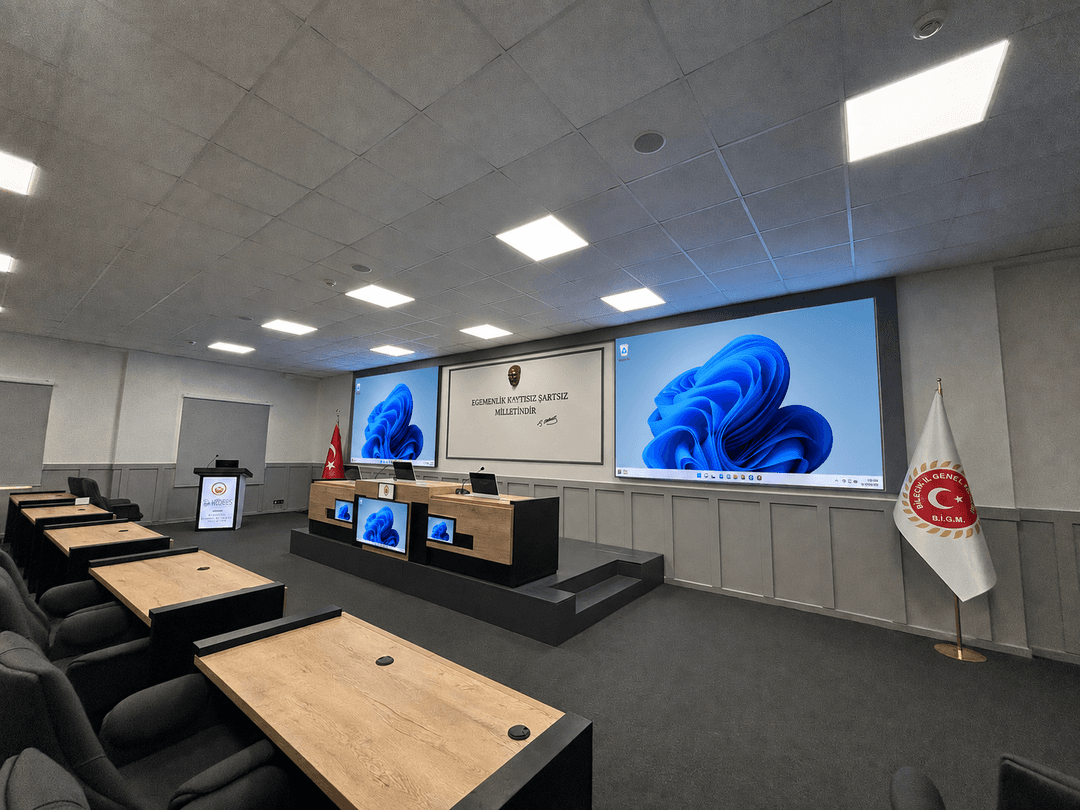
Council and meeting chambers
In municipal and provincial council chambers, the lectern connects to the same sound system as the chair's desk and the delegate microphones.
Hotel ballrooms and meeting rooms
Because the room is used in different layouts, the lectern is usually chosen with wheels and moved for each event.
Corporate training and seminar rooms
The trainer runs the presentation from the lectern; if the room is connected to a video conferencing system, remote participants see the same content.
Options
What can a digital lectern include?
The items below are not a standard equipment list. Each one is chosen in the project according to need; putting a part into the lectern that will not be used adds cost and one more part to maintain.
Touch screenThe screen where the speaker sees the presentation and notes. If required it is a touch screen and the speaker advances slides from it.
Built-in computerThe presentation file is opened from the computer in the lectern; speakers do not need to bring their own laptop.
MicrophoneA gooseneck lectern microphone is connected to the hall's sound system.
Speaker or audio outputIn small rooms a speaker can be fitted in the lectern if required. In large halls sound comes from the hall's speakers and only an audio output is taken from the lectern.
Document cameraAdded if paper documents or objects will be shown on the hall screen.
Connection panelVideo, USB and network inputs for speakers who bring their own computer.
Height adjustmentRequested in halls used by speakers of different heights.
WheelsAdded if the lectern will move between rooms or within the hall.
Logo and finishOrganisation logo on the front; colour and finish to match the corporate identity.
What to decide before ordering
Hall size and lectern position
Whether the lectern stands on the stage or on the floor, and how it sees the hall screen and the audience, are set by measurement.
Existing audio and video system
If the hall has a mixer, audio processor, projector or LED screen, the survey shows which cables connect the lectern to them and from where.
Fixed or mobile?
A fixed lectern gets its cables from the floor or the stage. A mobile lectern is planned with a single connection point and wheels.
Screen size
Set in the design according to the speaker's reading distance and the lectern body.
Who will use it?
Do the same people always speak, or do guest speakers arrive with their own computers? The connection panel and computer decision follows from this.
Corporate identity
Logo, colour and finish are approved at the design stage.
Connection to the hall's audio, video and video conferencing systems
A lectern does not work on its own. The lectern microphone connects to the hall's mixer or audio processor; if microphone and speaker placement are not tuned together, feedback occurs. We cover this on the conference hall sound systems page.
The image from the lectern computer goes to the hall's projector, LED screen or video wall. In halls with several video sources, the source is selected from a control panel; the full audio, video and control infrastructure is on the professional audio and video solutions page.
If the hall is also used for hybrid meetings or remote teaching, the lectern computer and microphone are connected to the video conferencing system. In schools and universities the lectern is planned together with the smart board and the classroom sound system; details are on the smart classroom systems page.
Built to order in 4 steps
Digital lecterns are not sold from stock; each one is built for its project. Production therefore does not start before the design and equipment list are approved. We state the lead time and scope in writing in the quote.
Get a Quote
Let's plan your digital lectern project.
Tell us about your hall, your existing audio and video system and the equipment you want in the lectern; after the survey we will prepare a design and a quote.
Get a QuoteConference halls and lecture theatres
Council and meeting chambers
Hotel and corporate training rooms